Seven Steps to Higher Efficiency
All about efficiencies for your manufacturing
UL/C-UL , CE Approved
CE : EMC Directive(Excluding AFPRP2□)
UL : Excluding some models


Models with built-in Ethernet ports add functionality to CPU unit.
Easy connection with all kinds of robots and PLCs enables control and communication.
* EtherNet/IP is a trademark of ODVA, Inc.

With ease and at low cost, extend the serial communication and analog functionality of CPU units.

Moreover, when used as a serial communication unit, expansion to as many as 35 channels is possible. Reduces cost and footprint.


To enable information collection, because the FP7 can deal with any protocol for Ethernet / serial communications, the FP7 can be installed in existing facilities.

Communicate easily with many units, including automation control equipment such as PLCs and information equipment such as PCs.


Logging set up is done via the configuration screen. Moreover, it is possible to keep up to 16 files concurrently active.
・Various triggers: periodic, cycle, bit, startup, etc

Diagnosis of rewrite life of SD memory card helps protect valuable information assets

* Diagnosis possible when Panasonic industrial-spec SD memory cards are used.

Reference value: for 196 k steps type CPU unit (Note)
| Program | 234k steps |
221k steps |
196k steps |
145k steps |
52k steps |
|---|---|---|---|---|---|
| Data register |
64k words |
128k words |
256k words |
512k words |
976k words |
Note:For data register (DT), data up to 256 k words can be backed up.

Allows the PC to read the logging data in the FP7’s SD memory card and to write setting values and other parameters.

The FP7 can generate and write data files to an FTP server on a PC as well as read data files from the FTP server.
The sessions use SSL, protecting IDs and passwords.

Transfer data from the FP7 to a web server for easy viewing with a browser. Send and receive data from multiple FP7 units on a schedule controlled by the FP7.
Communicate both inside the firewall on an intranet and outside the firewall to the wider world through the Internet.

Allow users from around the world to access the current state of their equipment.


Monitor and control the FP7 without the use of custom software. Users can check the accumulated data in the FP7 with a browser.

Custom Web
Screens (content) that are setup as desired by the user with Control Web Creator are uploaded to the FP7. Then, the information in the FP7’s internal Web server can be monitored on a browser.

* Ethernet is a registered trademark of Fuji Xerox Co., Ltd. and Xerox Corporation.
Control Web Creator
This is a graphics creation tool that allows you to easily design Web content that is published by the FP7. You can creatively design content by arranging Web components such as switches, lamps and meters on the screen and then setting the properties. Your content will be linked to information in the PLC without needing any knowledge of HTML.
・Same style of operation as the program display image creation tool
・Components can be arranged by dragging and dropping.
・Detailed component settings are easy using properties.
・Components don’t lose quality when enlarged or reduced, and you can color them as desired.
・Images can be pasted in.

This is the Web content that is contained as default in the CPU unit.
Status of the FP7 (settings, operation history, errors, etc.) can be checked.

Even without Control FPWIN GR7 ladder editing software, as long as you have a browser, you can check the FP7 status.
You can view the data register, etc., using a PC or smartphone.
The managers can receive and view e-mailed malfunction notifications and daily reports of equipment operations.
E-mail sending function (SSL-compatible)
Use instructions and timings controlled by the FP7 to send e-mails on a pre-set schedule or when a pre-set condition changes in the PLC. The e-mails can have data files attached and communication is SSL-capable to protect the e-mails.

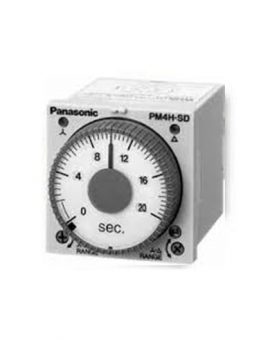
 )-DELTA (
 ) TIMERS
UL/C-UL , CE , Lloyd Approved
) TIMERS
UL/C-UL , CE , Lloyd Approved